
Answer questions on WhatsApp before people book, without taking bookings off your website
The WhatsApp widget adds a floating button to your Fitune website. People who don't have an account yet can message you in one click when they need an answer about schedules, prices or class types before their first booking.
Your clients with an account don't see the button: they keep booking and paying from your website or app.
- Floating button visible only to people who aren't logged in.
- Your WhatsApp number and an opening message the person can edit before sending it.
- Turn it on from "Website and app" > "WhatsApp widget" on the Plus and Ultra plans.
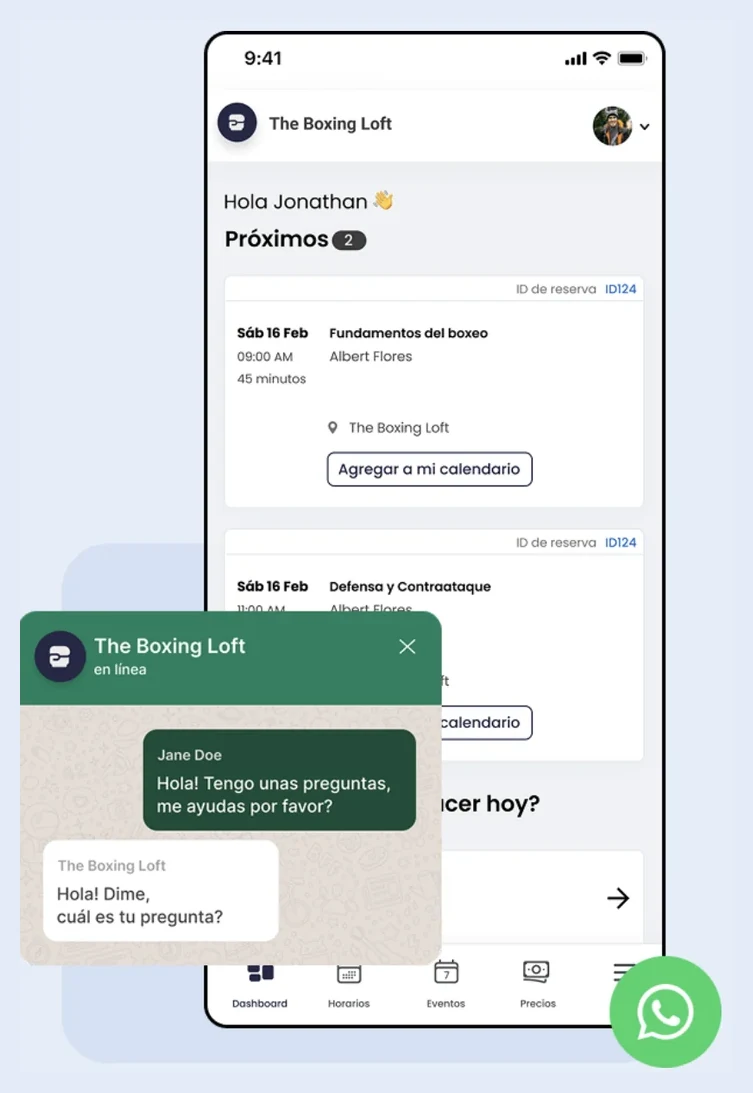
Turn visitors who need to talk to someone before deciding into bookings
Your Fitune website shows schedules, prices and offers so most people book and pay on their own. But some people want to ask before they commit.
The WhatsApp widget gives them an extra, direct channel to your studio, without changing how your current clients book.
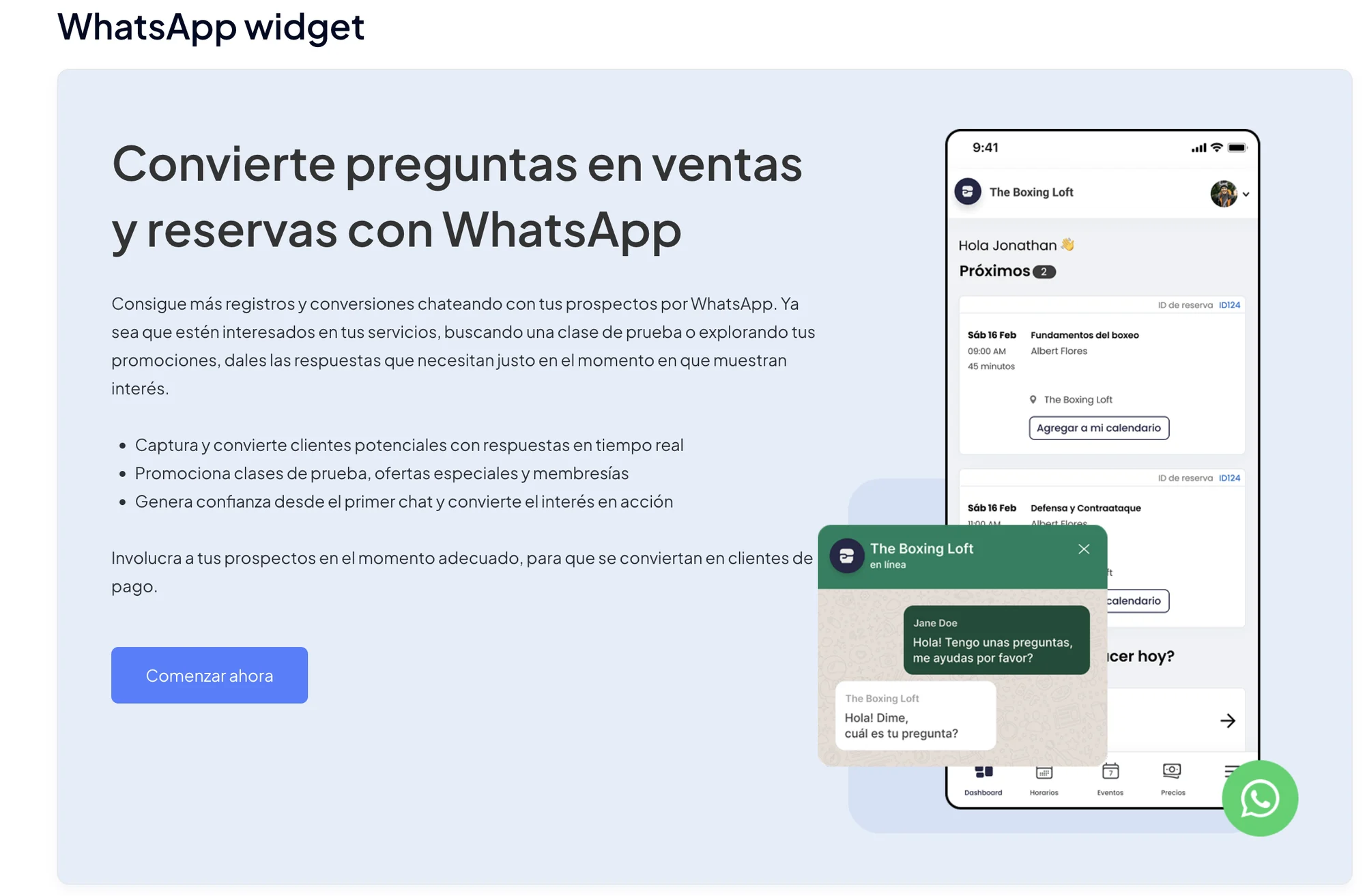
People with questions before booking can message you instead of leaving
Your clients keep booking from your website
Every conversation can end in a booking
You learn what your website still needs to explain
How the WhatsApp widget works on your website

Turn it on from your Fitune admin
In your Fitune admin, click "Activate WhatsApp widget". Enter the "WhatsApp number" where you want to receive conversations and click "Save".
The button appears on your website. People with owner or admin access can set it up, on the Plus and Ultra plans.
An opening message ready to send
In "Default message", write a short text, like a greeting and a question about your classes. When someone clicks the button, WhatsApp opens with your number and that text already written.
The person can edit it before sending. The message is optional: if you leave it empty, the person writes their own.
Visible only to people who aren't logged in
The floating button shows to people who visit your website without logging in. Your clients with an account don't see it while they book, pay or check their memberships.
That way their bookings stay in Fitune and widget messages come mostly from people who aren't clients yet (potential new revenue for your studio).
Conversations stay in your WhatsApp
The widget opens a WhatsApp chat with your number. The conversation happens in WhatsApp: Fitune doesn't receive, store or reply to those messages. Use a number someone at your studio checks every day.
Send the booking link in the same conversation
With the "Share" button in your admin, copy the link to your website, your app or to create an account.
If you apply filters to your schedule, you can send a link that shows only the classes that person is interested in. That way the conversation ends with a booking made on your site.
Studios already
attracting clients

Frequently asked questions
Which plan do I need for the WhatsApp widget, and who can turn it on?
The widget is available on the Plus and Ultra plans. People with owner or admin access turn it on from "Website and app" > "WhatsApp widget". All you need is a WhatsApp number someone at your studio checks daily; you don't have to install anything on your website.
Will the widget make my clients book by message instead of on my website?
No. The button only shows to people who visit your site without logging in. Your clients with an account book and pay from your website or app as usual. The widget is meant for new people who want to clear up a question before their first booking.
Is the WhatsApp widget a chatbot, or does it connect my WhatsApp to Fitune?
No. It's a button that opens a WhatsApp chat with your number. Fitune doesn't receive, store or reply to those messages, and it doesn't send automatic replies or bulk messages. The conversation stays in your WhatsApp, and from there you can send the link to your schedule with the "Share" button in your admin.
Can I customize the message and the button?
You can change the number and the default message at any time, and the person messaging you can edit the message before sending it. Fitune sets the button's design and position: for now you can't change its color, text or placement.
Does it work with WhatsApp Business?
Yes. You can use a WhatsApp or WhatsApp Business number. The widget opens the chat with the number you set up, and you reply from the app where you manage that number.
Don't let a question stand between a visit and a first class
Turn on the WhatsApp widget, answer people who haven't decided yet and send them the link to book on your website. Book a demo to see how it works.

The operating system to help your studio win.