
Manage your team and calculate their payroll without spreadsheets.
Give everyone on your team their own access, with the role that fits them, and let Fitune do the math on what you owe each person at the close of every period:
- Their own access for each person, with their email and password.
- Roles that separate day-to-day operations from your revenue and your settings.
- Payroll calculated from the classes and appointments each person actually taught.

Your staff handles the day to day. You keep control
That's the difference between owning a studio and working in it.
Your team gets through the day without messaging you
Everyone sees only what their job needs
Everyone knows who teaches each class
Adding someone new no longer costs you days
Whoever leaves your team loses access
Pay your team without the spreadsheet

Stop calculating payroll by hand
Opening the calendar, counting classes and appointments, checking who covered for whom and multiplying by each rate, every period, forever.
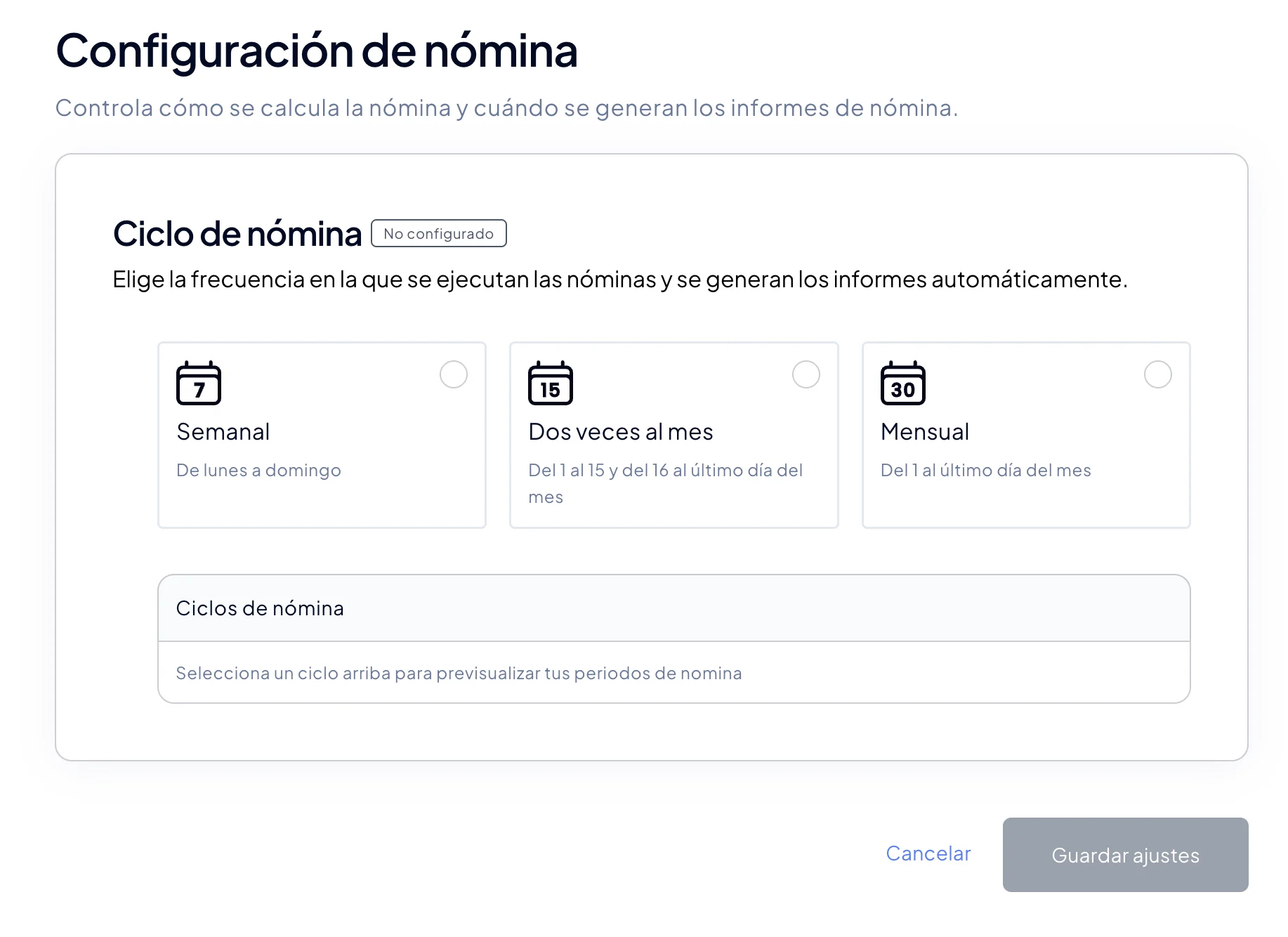
Set your pay cycle once (weekly, twice a month or monthly) and a rate per person. Fitune already knows what each person taught, so counting is no longer your job.
A rate for every agreement
One instructor is paid per class, another per 1:1 appointment and another a fixed amount.
Create different rates per person and per type of work, and Fitune applies them based on what each person actually taught.
Clear numbers, no arguments
Forget about classes that weren't counted, rates applied wrong, unrecorded substitutions and unnecessary arguments.
Every class and every appointment is recorded and always calculated the same way. When someone asks why their amount is what it is, you can show them clearly.
Know what your team costs you
Your biggest expense shouldn't be a surprise every period.
See how much each payroll period costs and how much each person you pay costs.
Studios already
attracting clients

Frequently asked questions
What roles can my team have?
There are four. Owner: whoever created the account, with access to everything. Admin: runs the studio without access to settings or payroll. Low access: sees the home screen and the calendar, and creates and edits schedules. Instructor: teaches classes and appointments, with no admin access.
More details in the Help Center.
How many people on my team can have access?
It depends on your plan, counting the owner: 1 on Free, 2 on Pro, 6 on Plus and unlimited on Ultra. Instructors without admin access have no limit on any plan.
How do I remove access for someone who no longer works with me?
Edit that person and switch off "Assign role". The next time they try to log in, they won't be able to. They stay on your list as an instructor, in case they still teach; if not, you can delete them.
Does Fitune pay my team for me?
No. Fitune calculates what you owe each person and helps you keep track of what you've already paid. You pay them the way you always do (cash, bank transfer) and record the payment in Fitune.
How payroll works, step by step, in the Help Center.
What kinds of pay can I set up?
Three: per class (a fixed amount per class or event, however many people attend), per 1:1 appointment and a fixed salary per period. You can combine them for the same person.
Can I add bonuses or deductions to payroll?
Not yet. For now, payroll calculates classes, events, appointments and fixed salary, with a single pay cycle for your whole team.
Which plan includes staff payroll?
Staff payroll is included in the Ultra plan. Team access is on every plan, with each plan's limit on the number of people.
Can someone on my team work at several studios with the same login?
Yes. A person uses the same email and password at every Fitune studio they work for, with a different role in each one, and picks the studio when they log in.
Stop doing payroll by hand
Give your team their own access and let Fitune calculate what you owe each person when every period closes. You just review and approve.

The operating system to help your studio win.