
Show your clients which classes are on and how many spots are left in real time
Fitune is class scheduling software for fitness studios and gyms: you create the schedules for your pilates, yoga, cycling, functional training or any other classes and publish them in an online class schedule. You set up each schedule once, with trainer, capacity and price, and your clients see it on your website and your branded web app, with the spots left and the option to book.
When you move or cancel a class in Fitune, your clients' schedule changes too, and anyone who already booked gets an email about the change.
- One-time or weekly recurring schedules, with trainer, capacity, price and booking window.
- Every class shows how many spots are left, or that it is full and has a waiting list.
- The same schedule on your website, your app, your Link in Bio and, if you connect it, Reserve with Google.
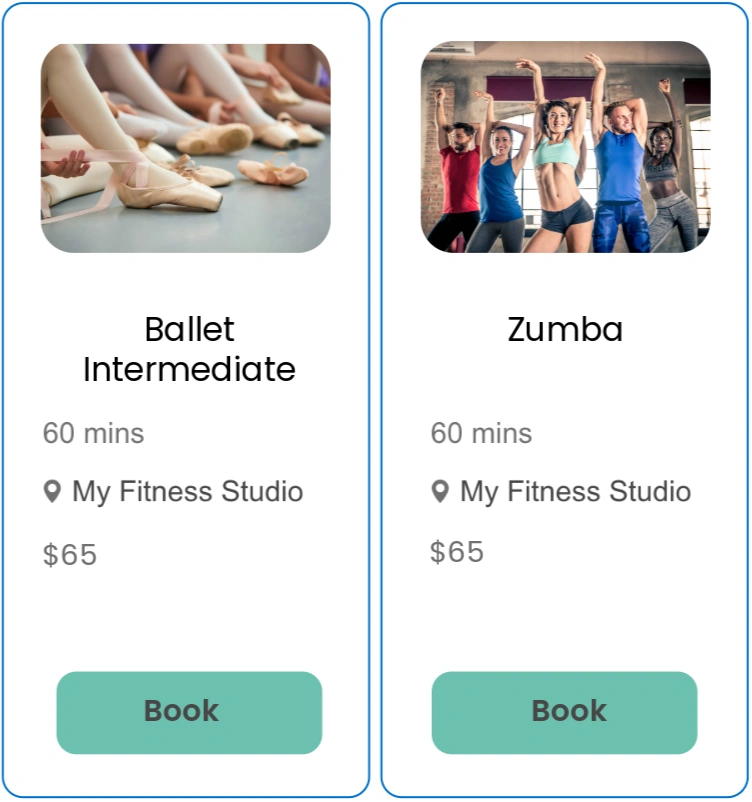
Your clients know which classes are available and can book right then
To make up their mind, someone who lands on your website needs to know which classes you offer, at what time and whether there is still room. In Fitune, class scheduling and the class schedule work together: in scheduling you set times, trainers, capacity and booking rules; in the schedule, your clients see those times with the spots left, and book and pay right there.
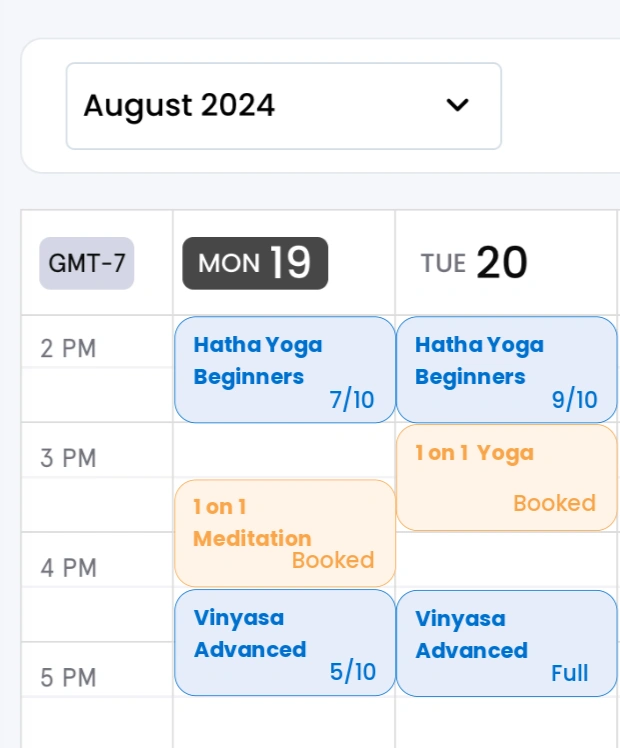
One schedule for your website, your app and your social media
Your clients see how many spots are left before they book
From the schedule to a paid booking, on the same screen
Fewer messages asking about class times
Know which classes and times fill up
Your online class schedule, with availability always up to date

Create one-time or recurring schedules for each class
In "Calendar" you choose "Group class" or "Special event" and set whether it is in person or online, the total capacity, the time, the duration and the trainer. The frequency can be once or recurring every week, with no end date or until the date you choose. You can also offer the same class at another time or with another trainer.
Set the price and when each schedule can be booked
Each schedule can be paid or free. If a paid class has no single-class price, it can only be booked with a membership or a pack. With the booking window you decide how far in advance bookings open and how late they are accepted. On the Plus and Ultra plans you turn on the waiting list for full classes, and on Ultra, the spot selector so your clients can pick their spot in the room.
Choose how your class schedule looks on your website and your app
Show your schedules as a list or a calendar. You choose the date range, whether every day appears or only the days with classes, which details each class shows and which filters your clients use: location, class, location type or trainer. Each class shows the spots left or that it is full, plus the price, or the client's plan that includes it if the class is only for memberships and packs.
Edit or cancel one date or the whole series, and let your booked clients know
From "Calendar" you change a single date or that date and all the following ones. If you change the class, the location, the time or the duration, your clients with a booking get an email. With "Cancel occasion" you cancel one date or the whole schedule, and Fitune cancels those bookings and lets clients know by email. You can also mark a date as full even if there are spots left, or move a booking to another date of the same class.
Publish the same schedule on your website, on other pages and on Google
Your class schedule is on your website and in your branded web app, which your clients install from the browser, with no app stores. With the class schedule widget you embed it in another website, and from the share button you send filtered links by WhatsApp, email or QR code. On the Plus and Ultra plans, Reserve with Google shows the classes you choose on your Google profile; changes there take up to 24 hours.
See all your classes in your team's calendar
In the Fitune "Calendar" you see classes, events and appointments by day, three days, week or schedule, and filter by trainer, location, class or service. From each date you check who booked, add clients and mark attendance. Fitune creates the future dates of your recurring schedules based on the number of days you set.
Studios already
attracting clients

Frequently asked questions
Which plan do I need and who can schedule classes in Fitune?
Class scheduling and the online class schedule are included in every plan. The number of classes you can create depends on your plan, and each class allows unlimited schedules. The waiting list and Reserve with Google are on Plus and Ultra, and the spot selector is on Ultra. You don't need any special equipment: everything works from the browser. The owner and users with the Admin role create and edit classes; staff with Low access use the calendar and create or edit schedules.
Can I schedule recurring classes and change only one date?
Yes. A recurring schedule repeats every week, with no end date or until the date you choose. When you edit it, you decide whether the change applies only to that date or to that date and all the following ones. Recurrence is weekly only: if a class runs every two weeks or once a month, create a one-time schedule for each date.
What happens to bookings if I move or cancel a class?
If you change the class, the location, the time or the duration, the clients who already booked get an email about the change. If you cancel a date, Fitune cancels its bookings and lets those clients know by email. If you open that date again later, the canceled bookings don't come back: your clients have to book again.
How far in advance can my clients see and book classes?
By default, your clients see classes and events for the next 30 days, and you can change that period. On top of that, the booking window of each schedule sets when bookings open and how late they are accepted. Your team can book for a client even if the class is full or the window has already closed.
Can I show my class schedule on the website I already have?
Yes. With the class schedule widget you copy a code to paste into your website's HTML, or use a link hosted by Fitune, and adjust its colors and fonts. You can also use the website Fitune builds for your studio, included in every plan, with your own domain from the Pro plan.
Do my classes show up on Google, Wellhub, TotalPass or Fitpass?
Yes, if you connect those integrations from your owner account. Reserve with Google (Plus and Ultra plans) needs a verified Business Profile: you choose which in-person classes to show, and changes take up to 24 hours. For Wellhub, TotalPass and Fitpass (paid plans), you turn on the option to list the class on that platform in each schedule and set how many spots you offer there; Wellhub only accepts in-person classes. Fitune does not guarantee positions on Google or on those platforms. More details in Integrations.
Can I schedule online or hybrid classes?
You can schedule online classes, but not hybrid ones: each schedule is either in person or online. If a class has both formats, create one schedule for each. If you connect your Zoom account, Fitune generates the links for your online classes and your clients get them by email 20 minutes before the start.
Let your next client find their class and book it in the same moment
Schedule your classes once in Fitune and publish your class schedule, with the spots left, on your website, your app and your social media. Every change reaches your clients without you updating anything else. Book a demo and see how it works.

The operating system to help your studio win.