
Automatically assign the spots that open up and decide when your clients can book
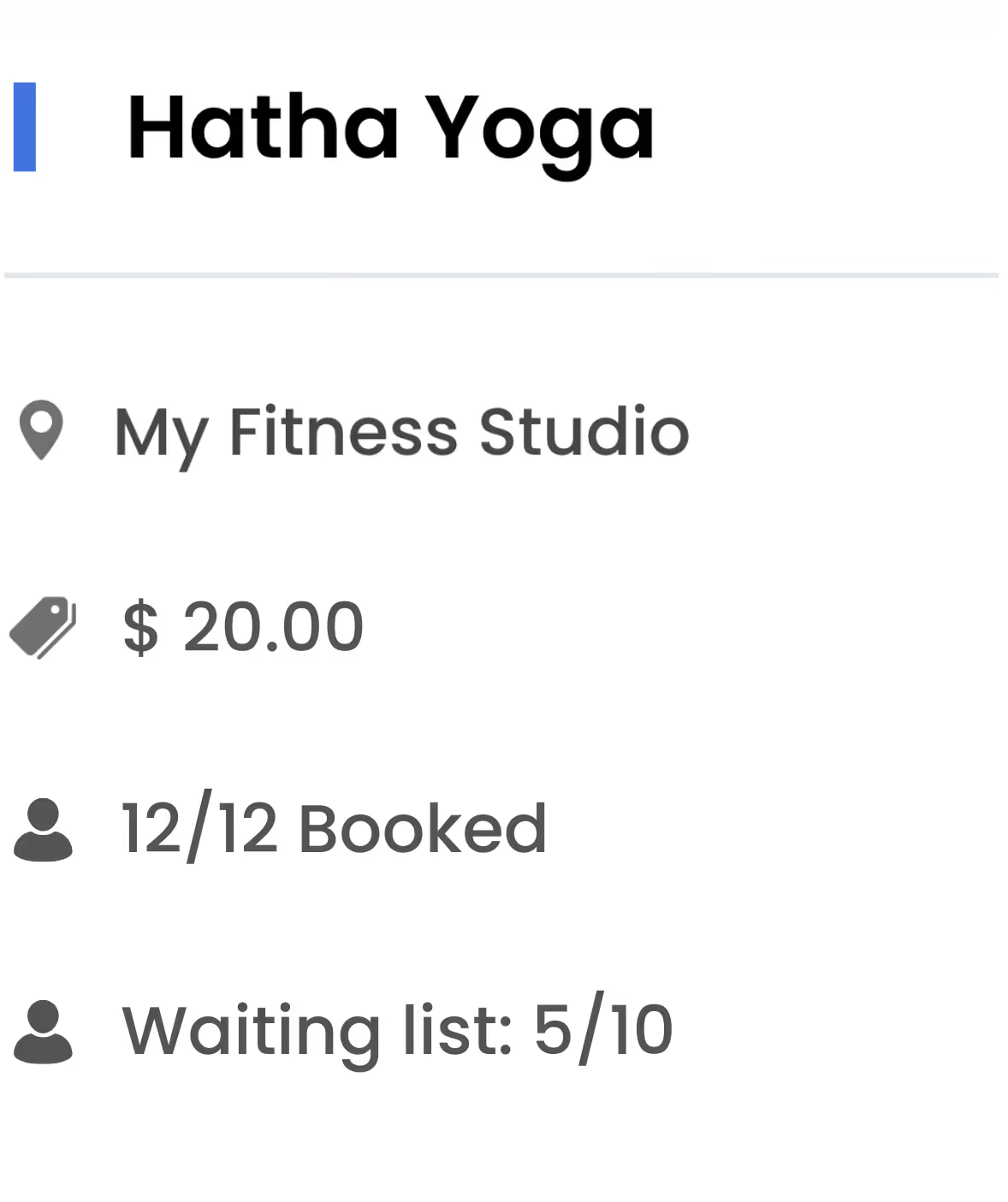
When a class or event fills up, your clients can join the waiting list from your website or app. If someone cancels, Fitune emails everyone on the list and the first person to book gets the spot.
Plus, for each schedule you set how far in advance bookings open and how late they can be made.
- Waiting list for full classes and events, with a limit of people per date.
- Email notice to the list every time a spot opens up, until the class starts.
- Booking opening and closing times you can set for each schedule.
Protect your revenue by automatically reassigning the spots that get canceled
The waiting list and the booking window work together: one fills the spots that open up again and the other sets when your clients can book. The result is more spots filled in the schedules you already have.
Canceled spots get filled again
Keep the clients who wanted a full class
Your most popular times stay within reach of more clients
Your classes take bookings until the moment you choose
A cancellation policy that feeds your waiting list
Set when each class can be booked and what happens when it fills up

Turn on the waiting list for your whole studio
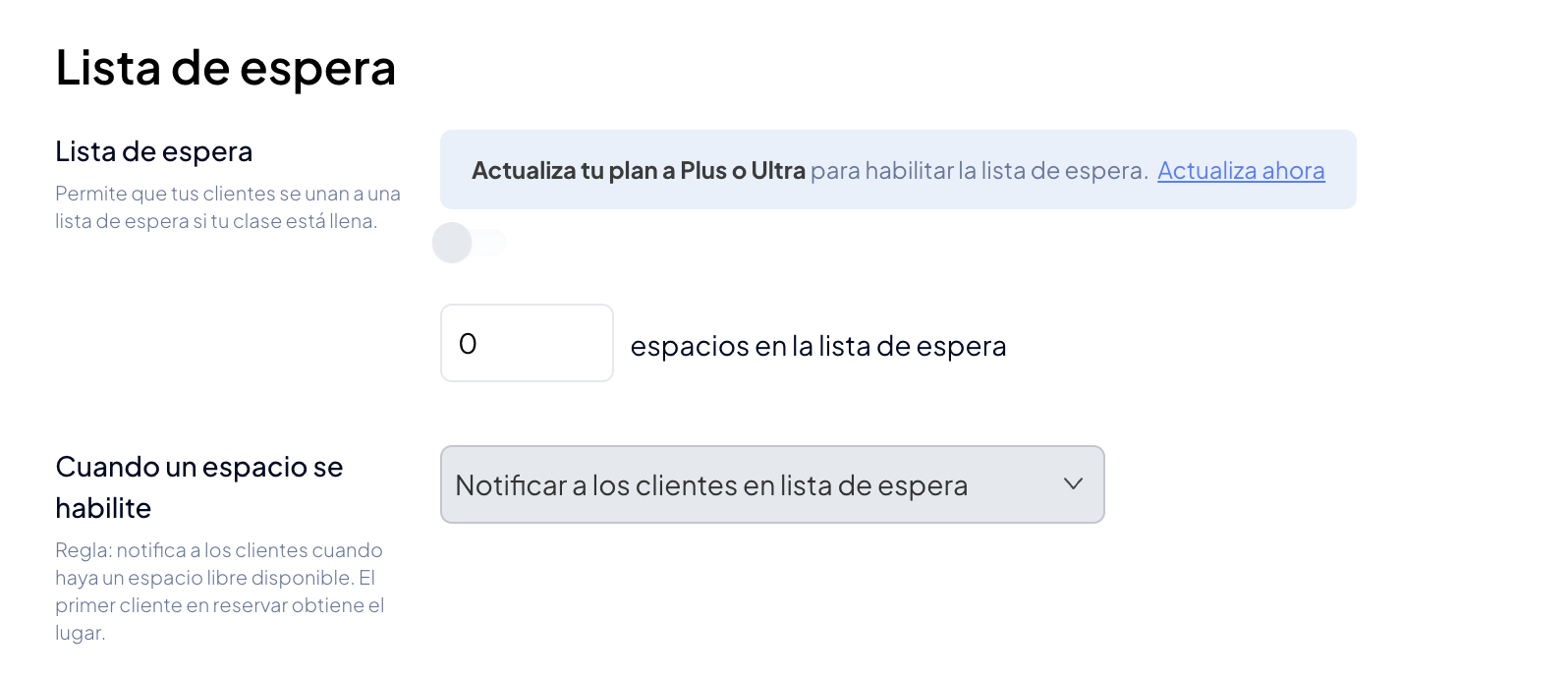
The account owner turns on the waiting list in General Settings > Bookings settings > Class settings and sets the maximum number of people who can join each date of a class or event.
The setting applies to every class in the studio and is turned off with the same switch.
Your clients join the list when the class is full
When a date is sold out and the list still has room, your clients can join from your website or app. Every time a spot opens up, until the class starts, Fitune emails everyone on the list.
The first person to book gets the spot. Nobody is added to the class automatically, so the spot goes to someone who can actually attend.
Set when bookings open and close for each schedule
In Calendar > Edit schedule > Booking window, you choose when "Booking opens" (at any time, or a number of minutes, hours or days before the start) and when "Booking closes" (when the class starts, or with a margin before).
Bookings must always open before they close.
When you save, you decide whether the change applies only to that class or to all future classes on the same schedule. It works for recurring classes and special events.
Exceptions and date changes when you need them
You can add a client from the class page even if the booking window has closed or the class is full: bookings made by your team don't depend on those rules.
Your clients, in turn, can move their booking to another date of the same class and location from their account, as long as they are within the free cancellation period and the booking window, and a spot is available.
Studios already
attracting clients

Frequently asked questions
Which plan includes the waiting list?
The Plus and Ultra plans. Only the account owner can turn it on and set the maximum number of people per date.
Are clients on the waiting list added to the class automatically?
No. When a spot opens up, Fitune emails everyone on the list and the first person to book gets the spot. If another spot opens up, Fitune sends the notice again, until the class starts.
Are the waiting list and the booking window set per class?
The waiting list is turned on once for the whole studio, with the same maximum number of people for each date. The booking window, on the other hand, is set for each schedule, and you can apply a change to just one class or to all future classes on the same schedule.
What happens if a client wants to book a full class or outside the booking window?
The class doesn't show as available to book, although if it's full they can join the waiting list. If you want to make an exception, you can add them manually from the class page.
Do 1:1 appointments have a booking window?
Yes. For each 1:1 appointment service, you set how far in advance your clients can book. Closing depends on the availability of the assigned staff: a time slot can only be booked while it's within that availability.
Does the booking window apply to Wellhub, TotalPass and Fitpass bookings?
No. The booking window applies to bookings your clients make on your website or app. Wellhub and TotalPass bookings are made in each platform's app, and neither the booking window nor Fitune's penalties apply to Fitpass bookings.
Give every spot that opens up to someone who wants it
Turn on the waiting list, set when your bookings open and close, and turn cancellations into new chances to fill your classes. Book a demo and see how it works in Fitune.

The operating system to help your studio win.