
Your clients check in at the front desk and your team knows who's in every class
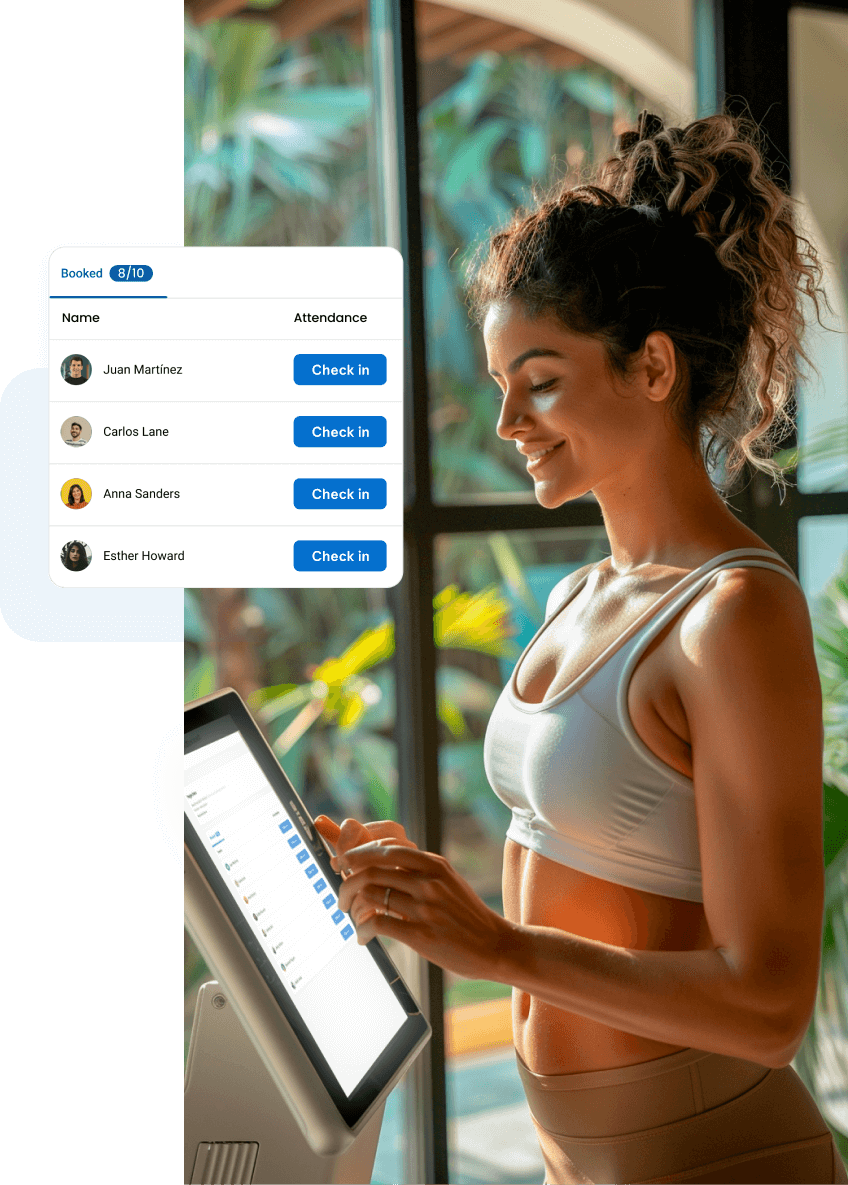
With Fitune's check-in feature, each client confirms their attendance on a tablet or computer at your studio's front desk, with one click on a button next to their name.
You can see in Fitune who came to each class or appointment, without paper roll calls or searching for names in the system.
- Your clients confirm their attendance at the kiosk on the same day as their class or appointment.
- Attendance is recorded in Fitune the moment the client checks in.
- Your team sees who arrived and corrects records from the platform.

Find out who really came to each class
In Fitune, access control doesn't depend on turnstiles or door readers. Each client confirms their arrival at the check-in kiosk, and attendance is recorded on their booking.
Check that information in Fitune and confirm attendance for every class with up-to-date data.
Look after your clients instead of looking up names
Attendance is recorded the moment the client arrives
Your instructors start class on time
Your clients arrive with their spot already picked
Features to give your clients the best check-in experience at your studio

Turn a tablet into your studio's check-in kiosk
The account owner turns on the kiosk in Settings > Check-in kiosk and chooses which sections your clients see: Classes (classes and events), Appointments or both.
Then, on the front desk tablet or computer, select "Go to check-in kiosk". That device is now dedicated to check-in.
To go back to the Fitune admin panel, just enter the password of the signed-in user. Your clients have no access to your studio's internal information.
Your clients check in with a single click
The kiosk shows the day's classes, events and appointments, with a location filter for studios with more than one location.
Each client picks their session, finds their name on the booking list and taps "Check in". Fitune confirms it on screen and marks the booking as attended.
Your clients can check in at any time on the day of their session, up to 10 minutes after it starts. After that, the kiosk shows that check-in time has expired and you record attendance from Fitune.
Confirm attendance on the platform
Every check-in made at the kiosk is recorded in the client's booking history and in the schedule summary.
From there, your team can mark attendance manually, fix a check-in made in the wrong class and mark the bookings of those who didn't show up as no-shows.
If your studio has a no-show policy, Fitune charges the penalty to the client's saved card when their booking is marked as a no-show.
Check-in for all your locations and for Fitpass bookings
If your studio has more than one location, the kiosk at each front desk can filter sessions by location. Bookings that come in from Fitpass can also be checked in at the kiosk.
Wellhub and TotalPass clients check in from each platform's app.
Studios already
attracting clients

Frequently asked questions
Is Fitune's self check-in a physical access control system?
No. Fitune doesn't control turnstiles, doors or entry readers. The access control Fitune offers is attendance tracking: each client confirms their arrival at the check-in kiosk, and your team reviews and confirms that attendance on the platform.
What do I need to use self check-in?
The Ultra plan and a tablet or computer at your studio's front desk. Only the account owner can turn on and set up the check-in kiosk.
While the kiosk is on, that device is dedicated to check-in; to go back to the Fitune admin panel on it, just enter the password of the signed-in user.
When can my clients check in?
At any time on the day of their session, up to 10 minutes after it starts. For example, for a 7:00 pm class, they can check in from early that same day until 7:10 pm.
What if a client doesn't check in, or checks in to the wrong class?
You can record their attendance manually, mark the booking as a no-show or fix a check-in made in the wrong class from the booking.
If your studio charges no-show penalties, Fitune applies the charge when the booking is marked as a no-show.
Can Wellhub, TotalPass or Fitpass bookings be checked in at the kiosk?
Fitpass bookings, yes. Wellhub and TotalPass clients check in from each platform's app.
Can my clients pick their spot in class?
Yes, if you turn on the spot selector in your schedules. Your clients pick their spot when they book from your website or app, and then check in at the kiosk when they arrive.
Make arriving at your studio as easy as booking
Your clients already book and pay from their phones. With the check-in kiosk, they also check in with one tap, and you welcome them with everything ready to start class. Book a demo and see how it works.

The operating system to help your studio win.