
Find out which clients are about to leave your studio, while you can still win them back
Fitune brings together in reports the signs that a client is drifting away: memberships and packs about to expire, memberships expired in the last 30 days, days without booking, no-shows and cancellations, so you can act before they leave.
Each list includes names, contact details and history, so you can write to every client with context and before they stop coming.
- Membership and pack expirations, grouped by days remaining.
- Each client's risk level based on the days since their last booking.
- An email alert every time a client cancels their subscription.

Act before a membership expires or a client stops booking
Winning a client back is easier while their membership hasn't expired yet, or when they've only gone a few weeks without booking. Fitune cross-references each client's memberships, bookings and attendance to show you who to write to and with what context.
Offer the renewal before the membership expires
Win back the clients who let their plan expire
Spot clients whose attendance is dropping
Reach out with the client's history at hand
Find out the same day when someone cancels
Reports and tools to spot and win back at-risk clients

Memberships and packs about to expire
In Analytics > Reports > Memberships, the "Upcoming memberships expirations" report lists every membership or pack with an end date:
- days remaining,
- contact,
- mobile number,
- type (one-time payment or subscription),
- renewal number,
- next booking,
- and whether the client has other active or scheduled memberships.
It groups expirations by number of days.
Memberships expired in the last 30 days
The "Expired memberships" report shows who let their plan expire, with the expired membership, type, recurrence, status, payment method and the client's segment.
You can filter by any of those columns and change the date range. To write to a group, blast emails let you pick your former clients by segment.
Risk level based on the last booking
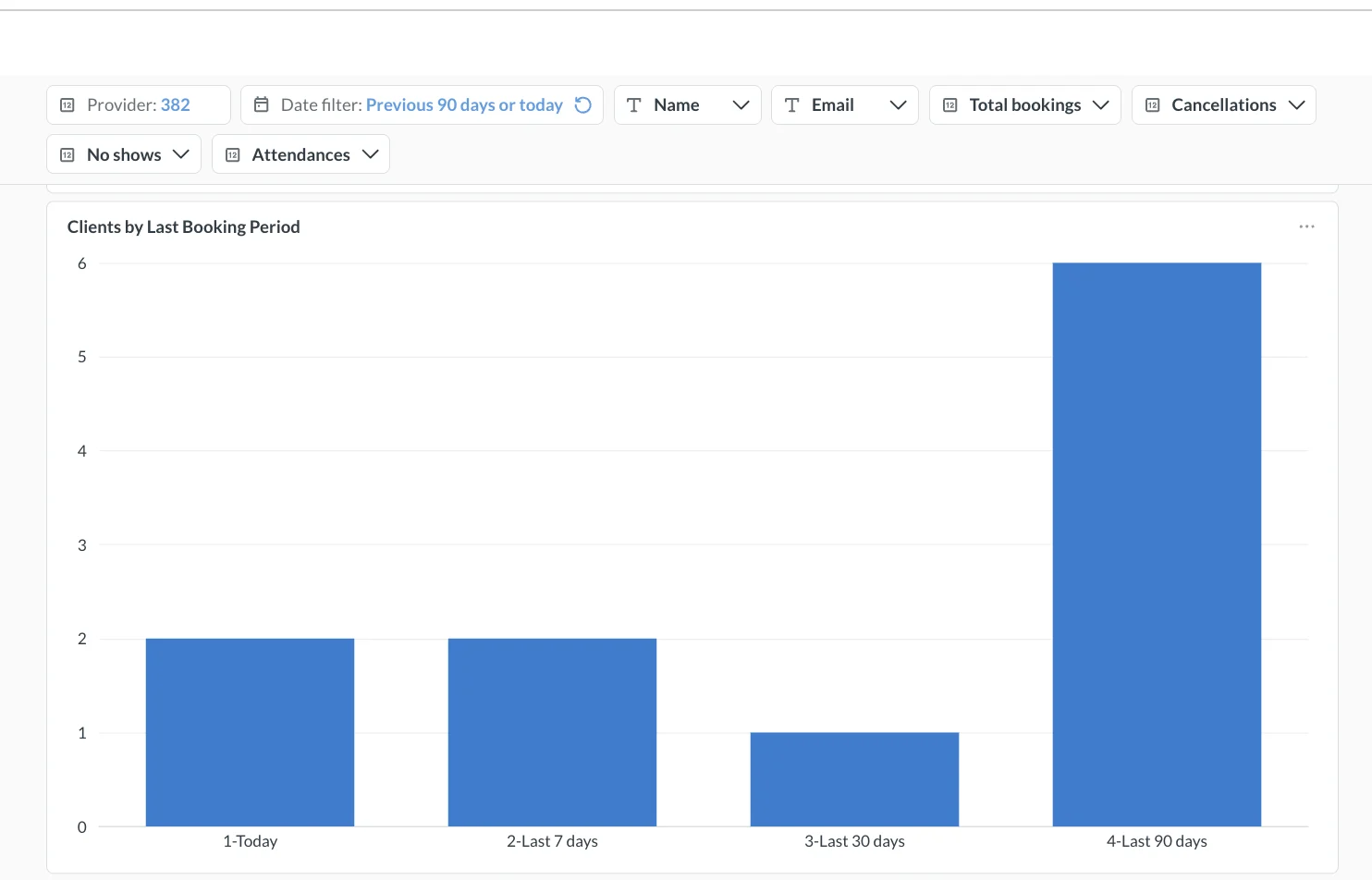
The "Clients who booked recently" report shows, for each client, their last booking, the days since, their last attendance, their next booking and their attendance and cancellation rates.
Based on the last booking, Fitune assigns a risk level: "Active" (up to 14 days), "Warming" (15 to 30), "At Risk" (31 to 60) and "Inactive" (more than 60).
No-shows and cancellations by client
The "No shows and cancellations" report separates early cancellations, late cancellations and no-shows, with their rates, the fees charged and the number of unique clients in each case.
It also shows which memberships or payment methods concentrate the most no-shows, so you can adjust your cancellation policy or talk to the clients who miss class often.
Retention to-dos on your home screen
On the Admin home screen, "Things to attend to" brings together the memberships cancelled in the last 15 days and those expiring in the next 15, with a red alert when 3 days or fewer are left.
It also shows clients with an active membership who haven't booked in 15 to 60 days.
Full history and one-click contact
Each contact's page shows their segment, last activity, total paid, visits, cancellations and no-shows, plus their bookings, memberships, invoices and internal notes.
The call, SMS and WhatsApp buttons open the app on your phone or computer with the client's number, and emails are sent from Fitune. Every report exports to Excel or CSV.
Studios already
attracting clients

Frequently asked questions
Does Fitune send automatic messages to win back clients who leave?
No. Fitune shows you who is at risk and lets you write to them from their contact page or with a blast email by segment, but it doesn't send automatic win-back campaigns. The WhatsApp, SMS and call buttons open the app on your device; Fitune only sends emails. The automatic emails it does send are transactional, such as the booking confirmation or a membership cancellation.
Which plan do I need, and who can see these reports?
The reports are in Analytics > Reports, and none of the ones on this page require the Ultra plan. According to the pricing page, standard reports and blast emails are included from the Plus plan. The owner can see them, and so can staff with the Analytics pages permission, which is off by default for admins and staff. There's nothing to set up: the reports use the sales, bookings and memberships you already record in Fitune.
How does Fitune decide that a client is at risk?
By the days since their last booking: "Active" up to 14 days, "Warming" from 15 to 30, "At Risk" from 31 to 60 and "Inactive" after more than 60. Fitune doesn't predict who will leave: it applies those ranges to your real booking data. Expirations are shown by the end date of each membership or pack, and expired memberships cover the last 30 days by default, a range you can change.
Does Fitune let me know when a client cancels their membership?
Yes. Fitune sends an email to your account's email address every time a client cancels their subscription. It's one of the studio notifications: it's on by default and the owner can turn it off. When a client cancels from their profile, the cancellation takes effect at the end of the cycle, so you still have time to talk to them before they lose access.
Do Wellhub and TotalPass clients show up in these reports?
Yes, in the attendance reports and in "No shows and cancellations", where Wellhub and TotalPass appear as a payment option. Since those clients don't buy a membership at your studio, they don't appear in the expiration or expired membership reports.
Can I export the lists to work on them with my team?
Yes. Every report exports to Excel or CSV. Fitune doesn't have tasks or reminders for assigning follow-ups, so you can share out the exported list and record what you talked about in each client's notes. Notes don't record who wrote them.
Does Fitune calculate my studio's churn rate?
No. Fitune doesn't calculate a churn rate today. What it does give you are the lists to act on: memberships about to expire, expired memberships, risk level by last booking, no-shows and cancellations. On the Analytics dashboard you can also see how your active and recurring clients evolve over time.
Make every expiring membership a conversation, not a cancellation
Check every week who's about to expire, who already expired and who stopped booking, and reach out with their history at hand. Book a demo to see how it works.

The operating system to help your studio win.