
All your clients and leads in one place, with their full history
Bookings, memberships, payments and notes for every person on one profile. No spreadsheets, no data scattered across WhatsApp, Excel and your payment platform. Fitune sorts every contact for you, so you know who to reach out to today.
- Full history for every client and lead.
- Automatic segments: active, in trial, overdue, lead or lost.
- Where each contact came from, plus one-click WhatsApp, SMS or call.
The CRM is included in every Fitune plan, with unlimited contacts.

Know every client before you reach out
Everyone who signs up, books or buys on your website or app lands in your database on their own. Fitune keeps track of their activity and works out their segment, so your team knows who to talk to and what to say.

Their whole history on one profile
Segments that update themselves
Know where they came from
Reach out from their profile
A CRM built for studios, no spreadsheets needed
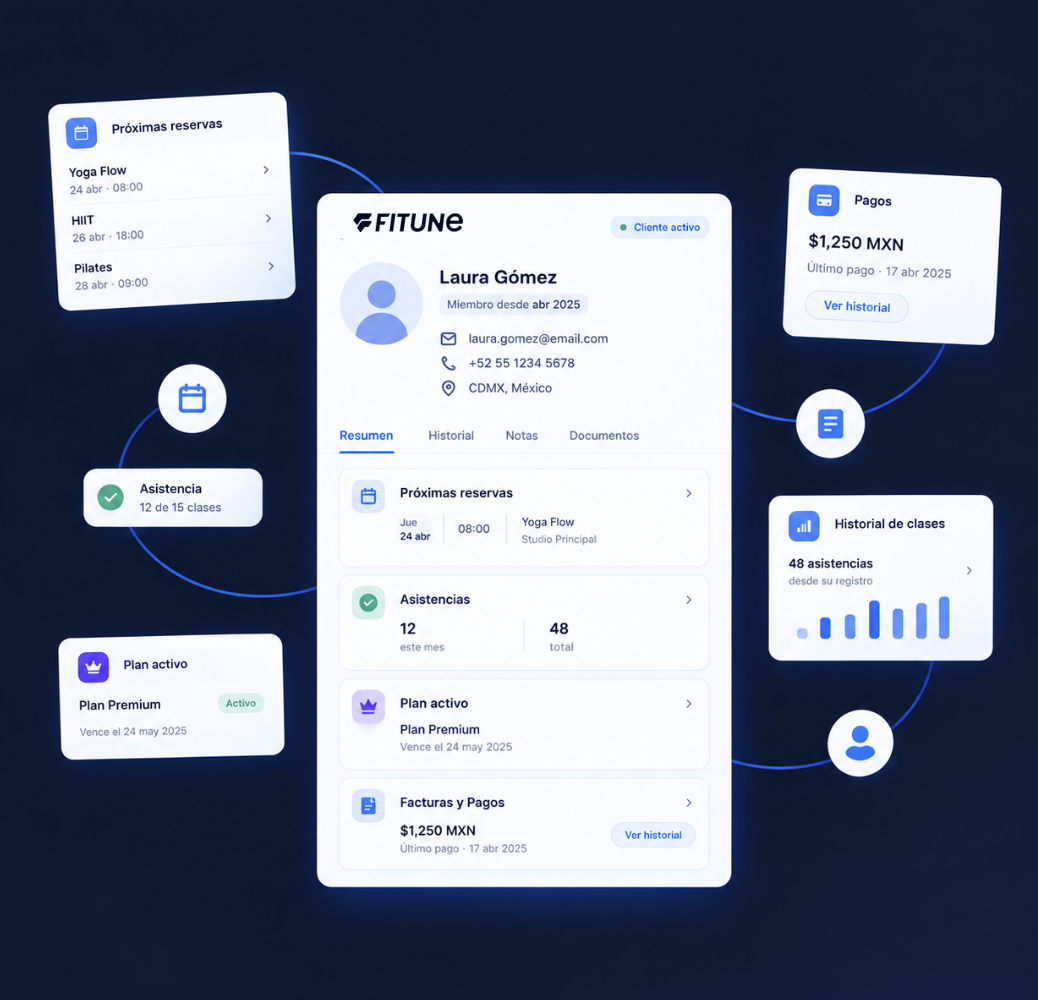
A complete profile for every contact
Tabs for bookings, memberships, invoices and details. A summary with the credits on their active plans, their segment, last activity, whether they signed the liability waiver, total received, visits, cancellations and no-shows. Plus internal notes for your team.

Segments and quick filters
Filter in one click by active clients, active subscribers, one-time purchasers, lost, new leads or leads in trial. Search by name or email and filter by the date they were added.

The data your studio needs
Decide whether to ask for phone, date of birth or gender at sign-up, whether they're required and whether clients see them on their profile. Create custom text or date fields for whatever matters to your studio.

Contacts that arrive on their own or in bulk
Anyone who signs up, books or buys on your website or app is added as a lead automatically, and bookings from Wellhub, TotalPass or Fitpass create the contact too. You can also add contacts one by one or with a CSV file, and Fitune emails them their invitation.

Migration from another platform
Coming from another system? On the Plus and Ultra plans, the Fitune team migrates your clients at no cost.
Studios already
attracting clients

Frequently asked questions
What is Fitune's CRM?
It's your studio's contact list: all your clients and leads, with their history, notes and details. Your team can add, edit or delete contacts, and Fitune works out each contact's segment automatically.
Is the CRM included in my plan?
Yes. The CRM is included in every Fitune plan, Free included, with unlimited contacts. What changes by plan is the number of active clients and custom fields.
What can I see on a client's profile?
Their class and appointment bookings (upcoming, past, attended, cancelled and no-shows), memberships, invoices and personal details. Plus a summary with available credits, segment, last activity, total received, visits, cancellations, no-shows and your team's notes.
How do I know which clients to reach out to?
Fitune gives every contact a segment based on their activity and purchases: active, in trial, overdue, lead, lost and more. Quick filters show your active clients, lost clients or new leads in one click, and you can search by name or email.
Can I see where each client came from?
Yes. Each contact's details show their lead source: Fitune, if they came through your website or app, or the integration they came from (Wellhub, TotalPass or Fitpass). It doesn't track campaigns or UTM parameters for now.
Can I collect extra information from my clients?
Yes. You decide whether to ask for phone, date of birth or gender at sign-up and whether they're required. You can also create custom long-text or date fields. The number of custom fields depends on your plan.
What happens when I add a client?
Fitune sends them an invitation email with their login so they can access your website or app, book and see their plans. If they don't use it, you can resend the invitation from their profile. To add contacts, first verify your studio's email address.
Does Fitune send the WhatsApp or SMS messages for me?
No. The call, SMS and WhatsApp buttons on the profile open the right app on your team's device, with the contact ready. Your team sends the message from their own number.
Can I migrate my clients from another system?
Yes. On the Plus and Ultra plans, the Fitune team migrates your clients at no cost. You can also import them yourself with a CSV file of up to 250 rows; Fitune gives you back a file with any rows it couldn't import so you can fix them.
Stop hunting for data and start taking care of your clients
With Fitune's CRM, the history of every client and lead lives in one place, and you know who to reach out to today. All from Fitune, your intelligent operating system.

The operating system to help your studio win.